Showcase
Three applications are the readable version of everything on these pages: each one is built on the public API and nothing else. Two ship beside the framework; the largest has a repository of its own.
Arlecchino.Commander
A file manager, and the largest of the three. Two panels over a local disk, an SFTP server or an FTP one, with tabs, leader keys and a command line of its own; the function keys stay where they have always been, but little else stops there. It lives in its own repository and takes the framework from NuGet, the way an application of yours would.
dotnet run --project src/Arlecchino.Commander -- C:\some\folder C:\another
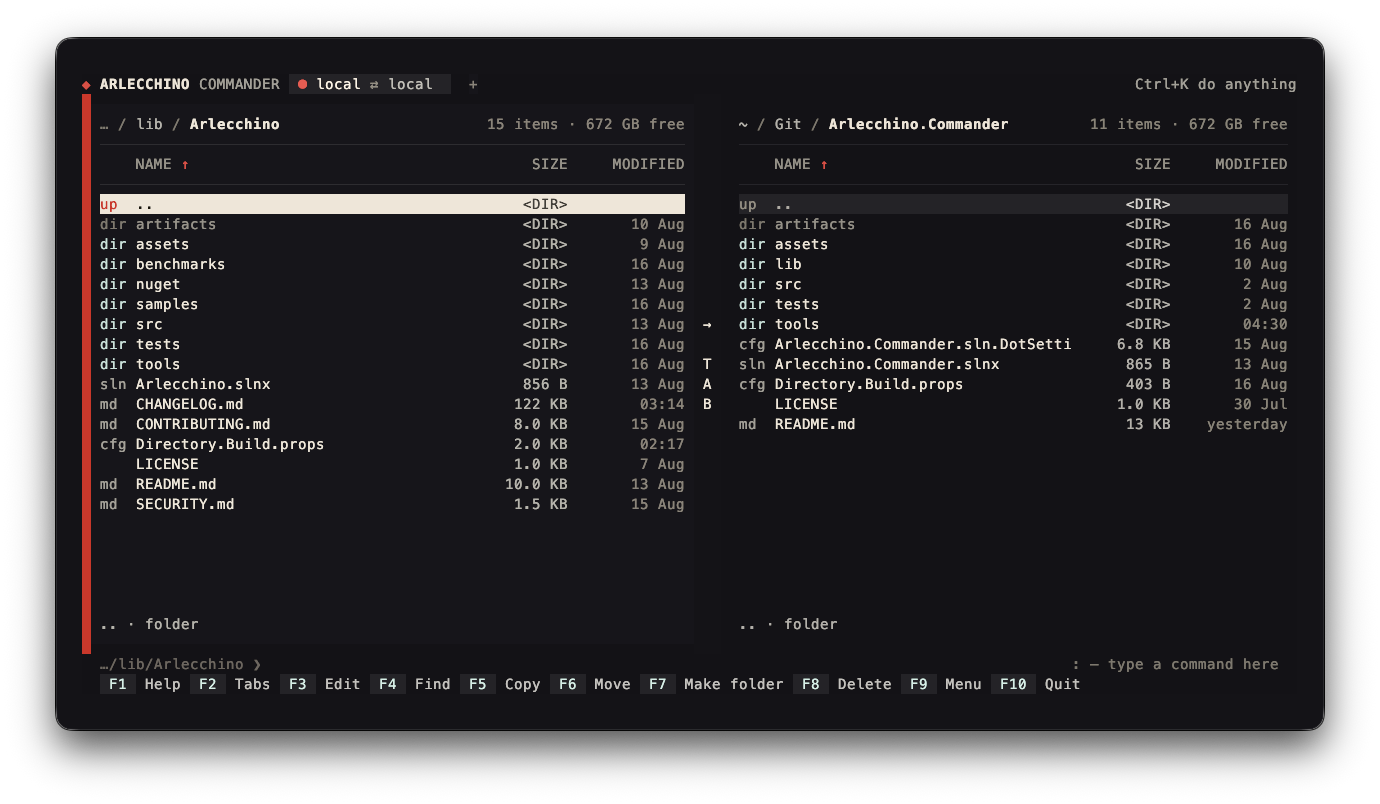
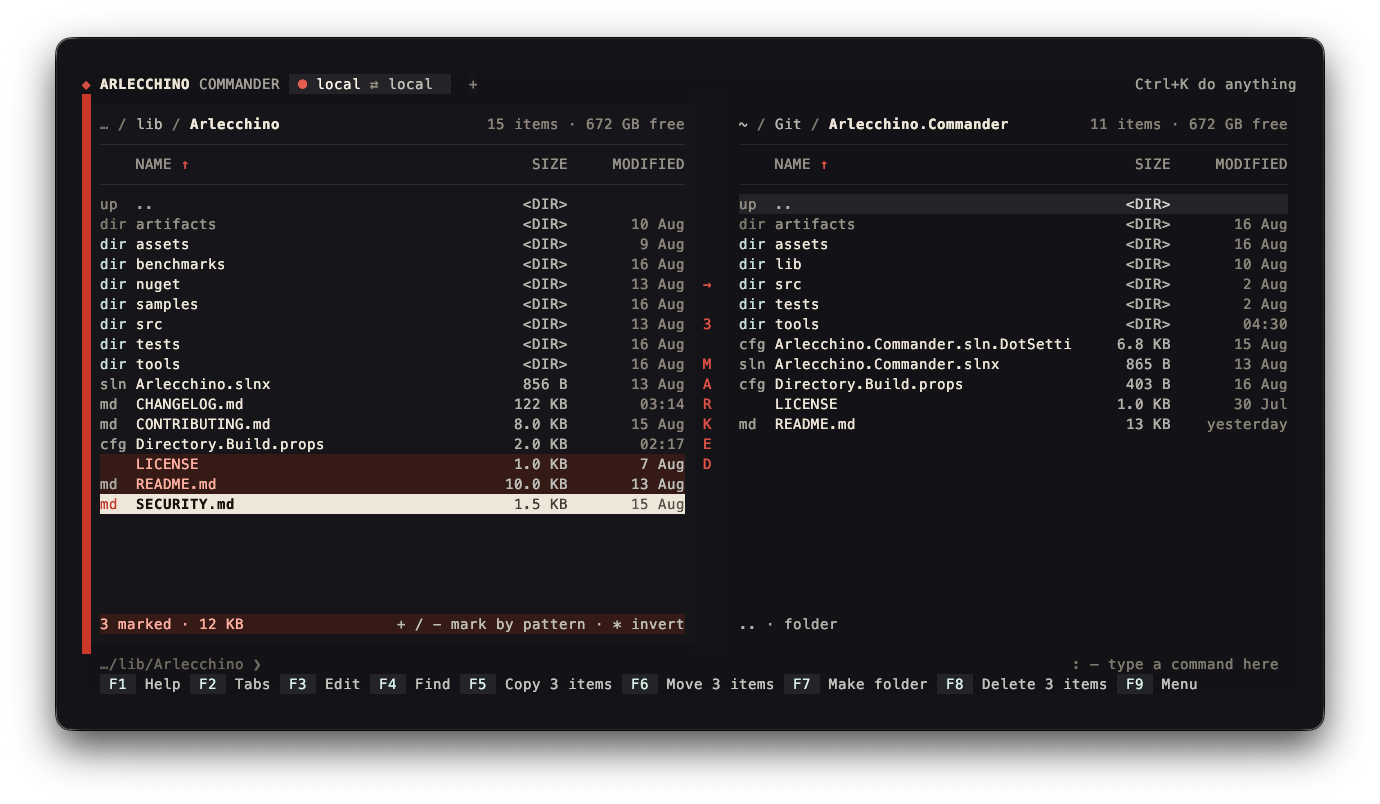
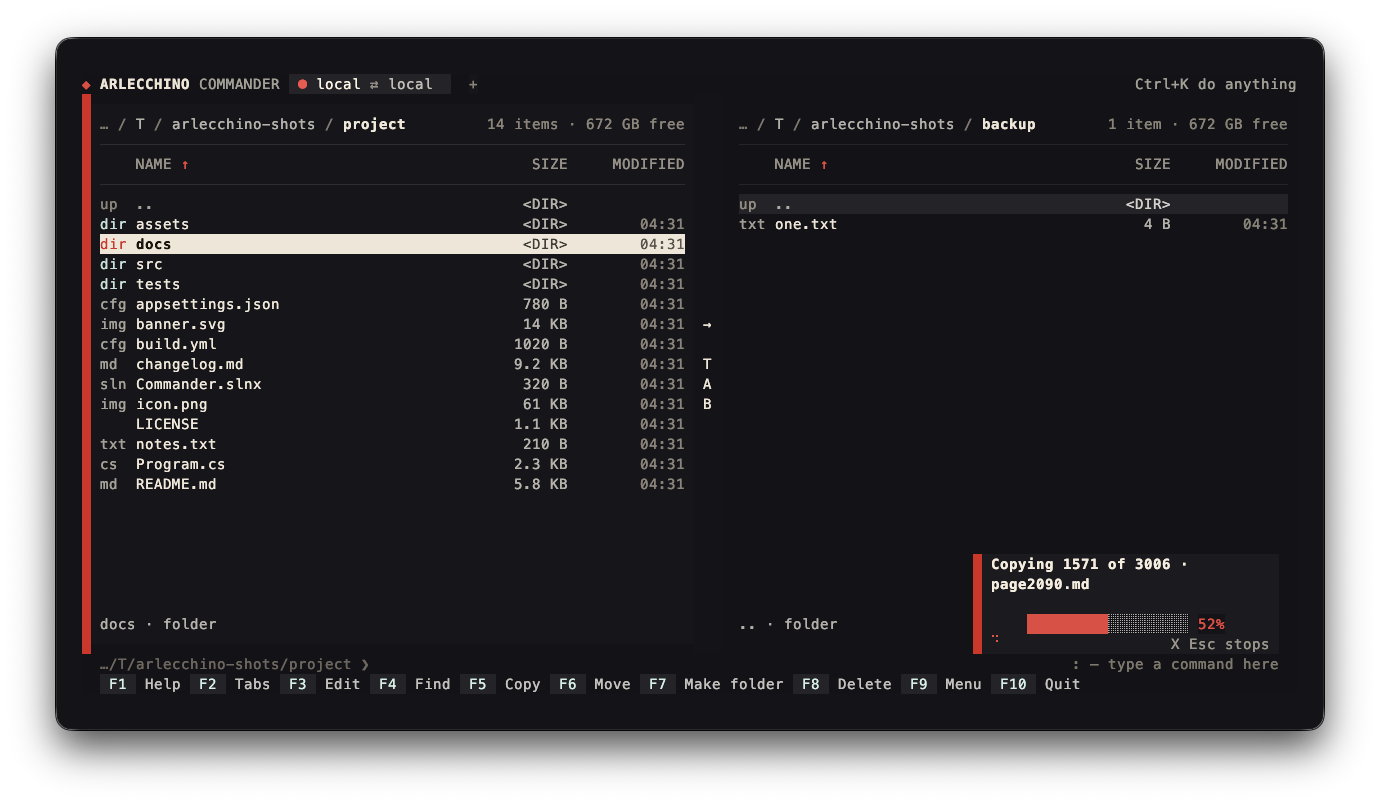
Each panel is a widget of its own over one folder. Space marks a row, and what is
marked is counted at the foot of the panel:
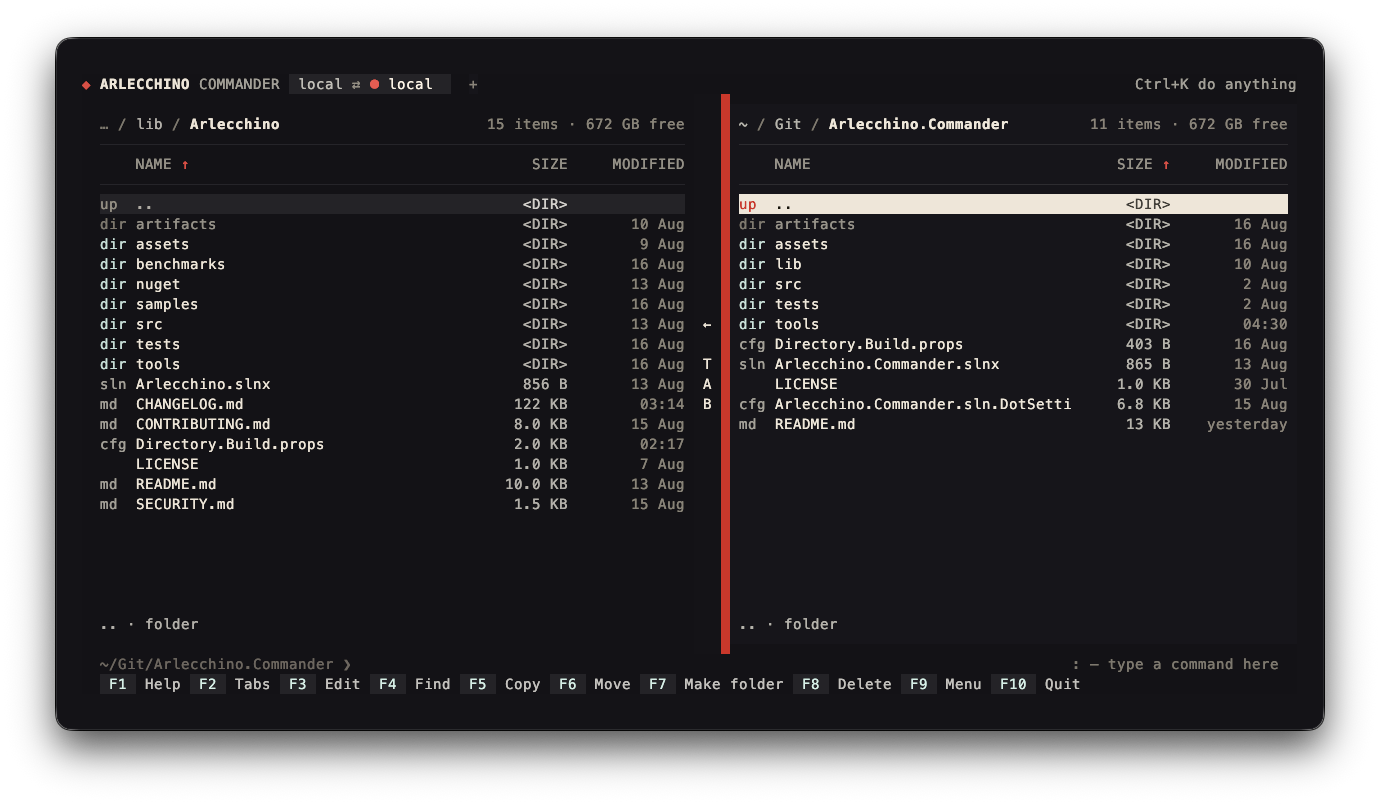
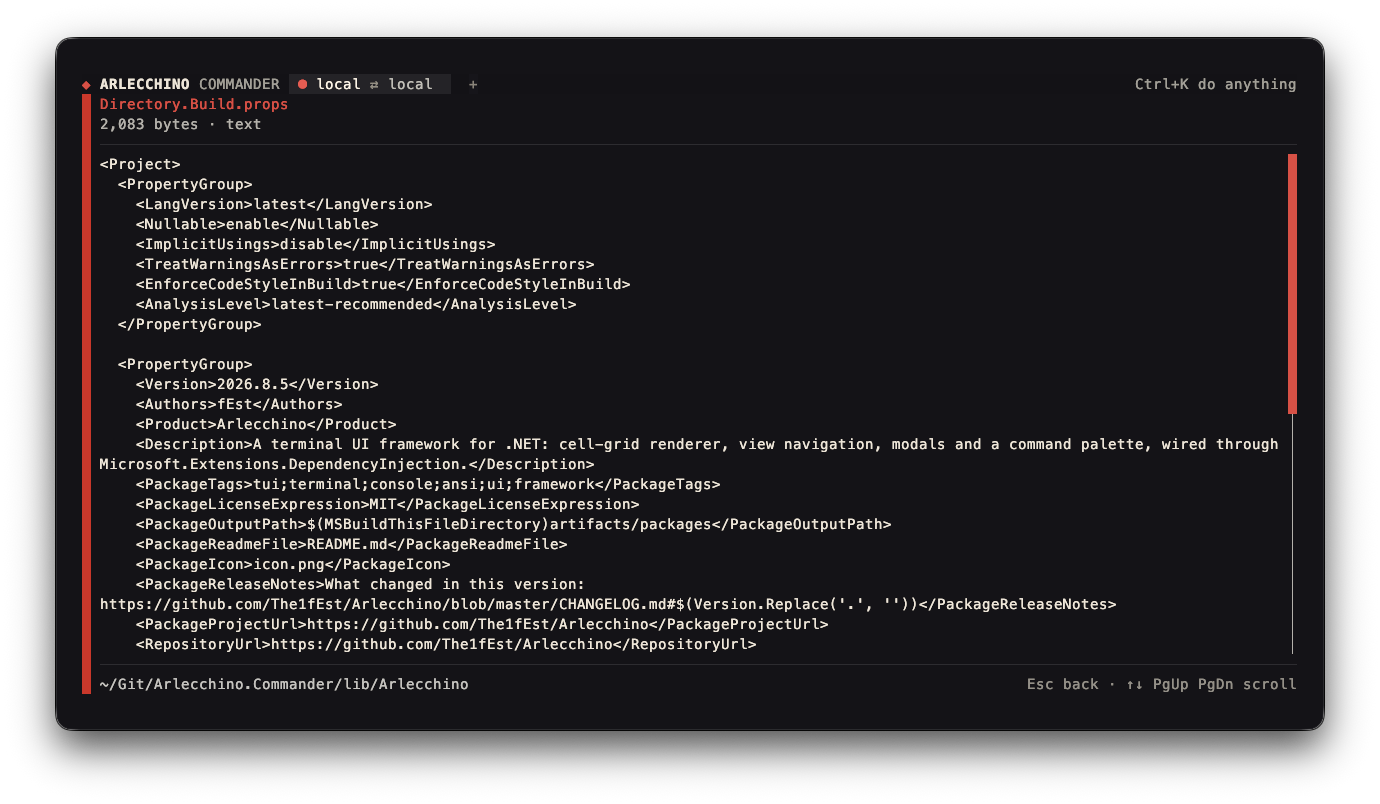
Either panel sorts by name, size or date, narrows down to a filter, and reads a file without leaving the panels:

| Part | What it shows | Uses |
|---|---|---|
| The panels | Two widgets in one layout, either of which may hold the focus | widgets, PaneTree, FocusRing |
| The tabs | A band that says what is open and takes a click on it | mouse, atoms |
| The menu | Sections of a menu offered as lists | modals, view commands |
| Copy, move, delete | Questions asked first, then the work off the drawing thread | modals, rendering |
| Work in flight | A bar, what is being worked on now, and a key that stops it | status bar, notifications |
| Servers | A panel over SFTP or FTP, and a screen that runs commands over SSH | stores, Form, async atoms |
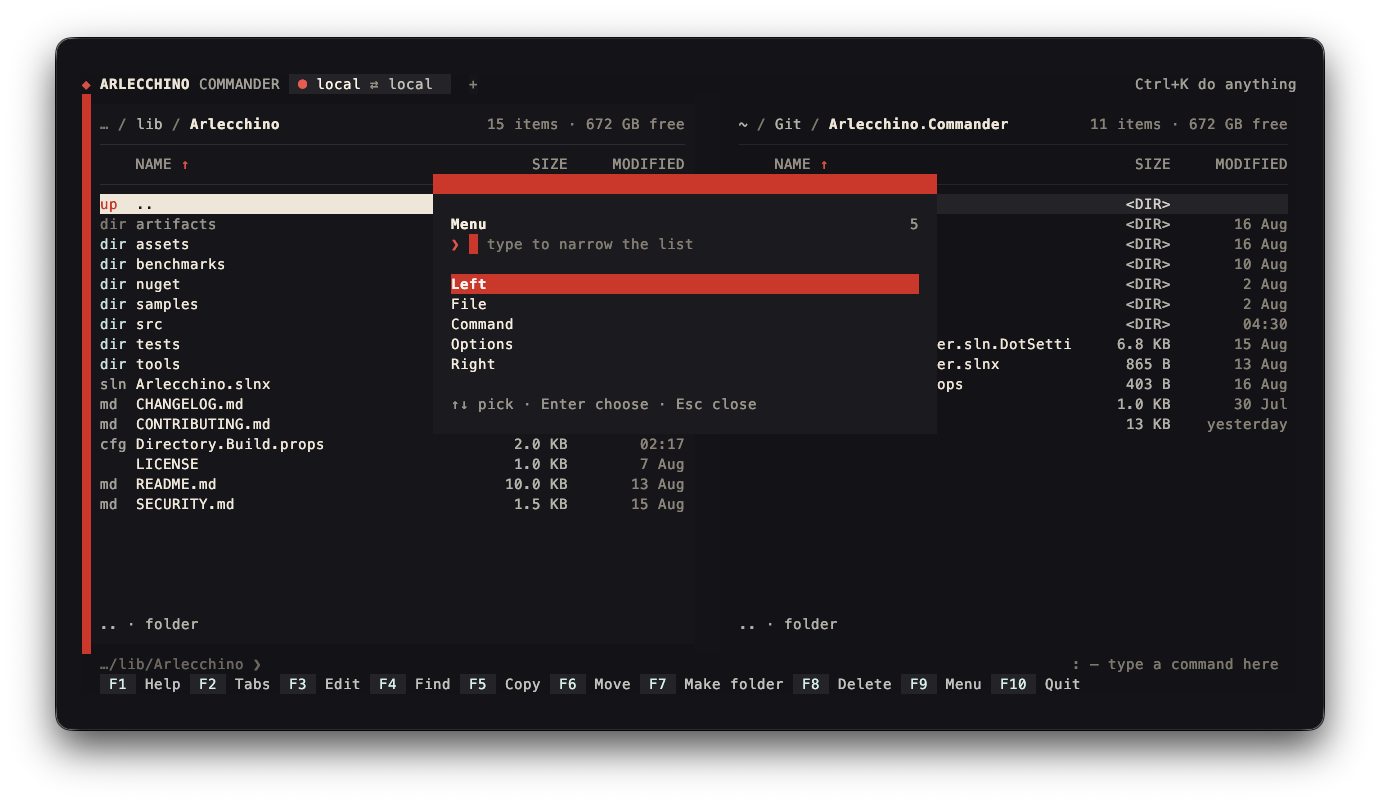
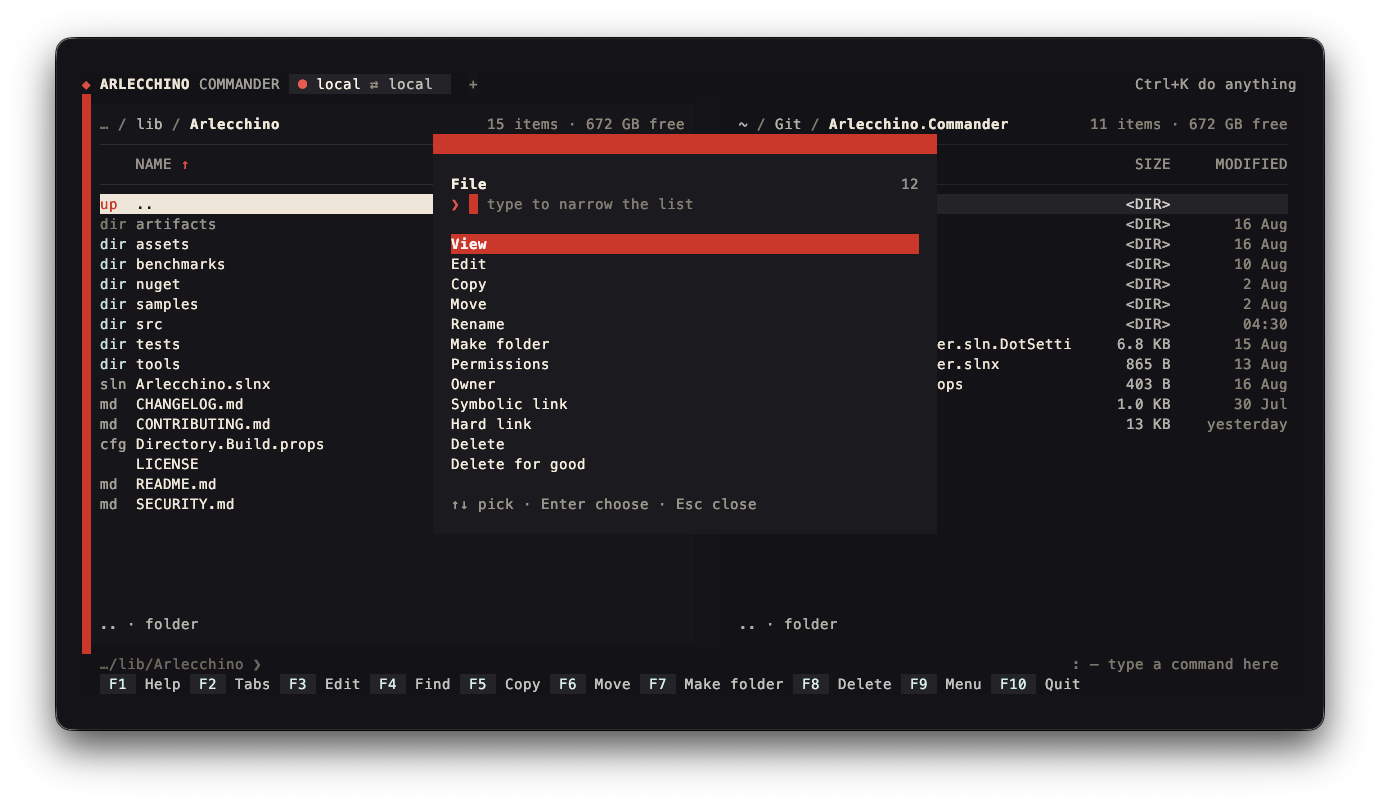
F9 opens the menu, and what can be done to what is marked is one list under it:
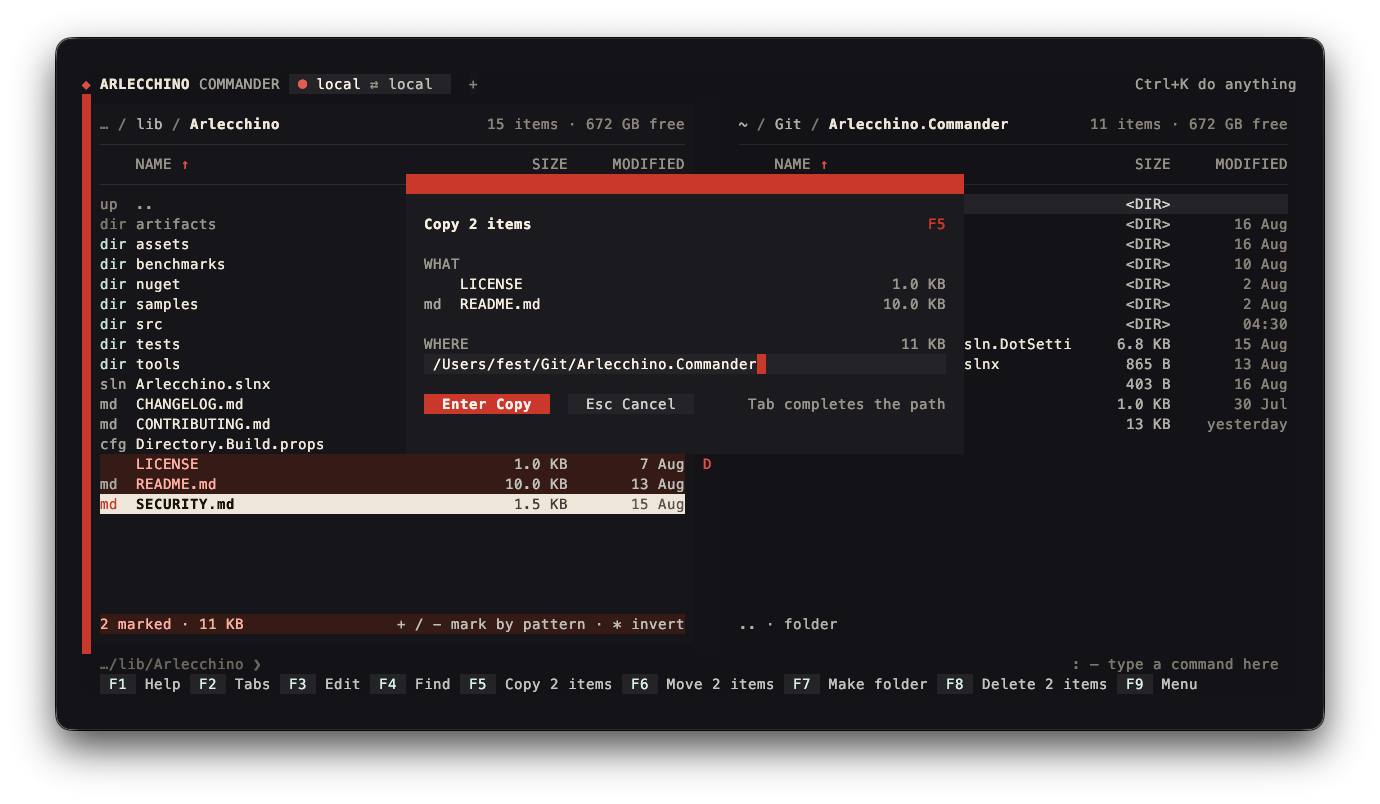
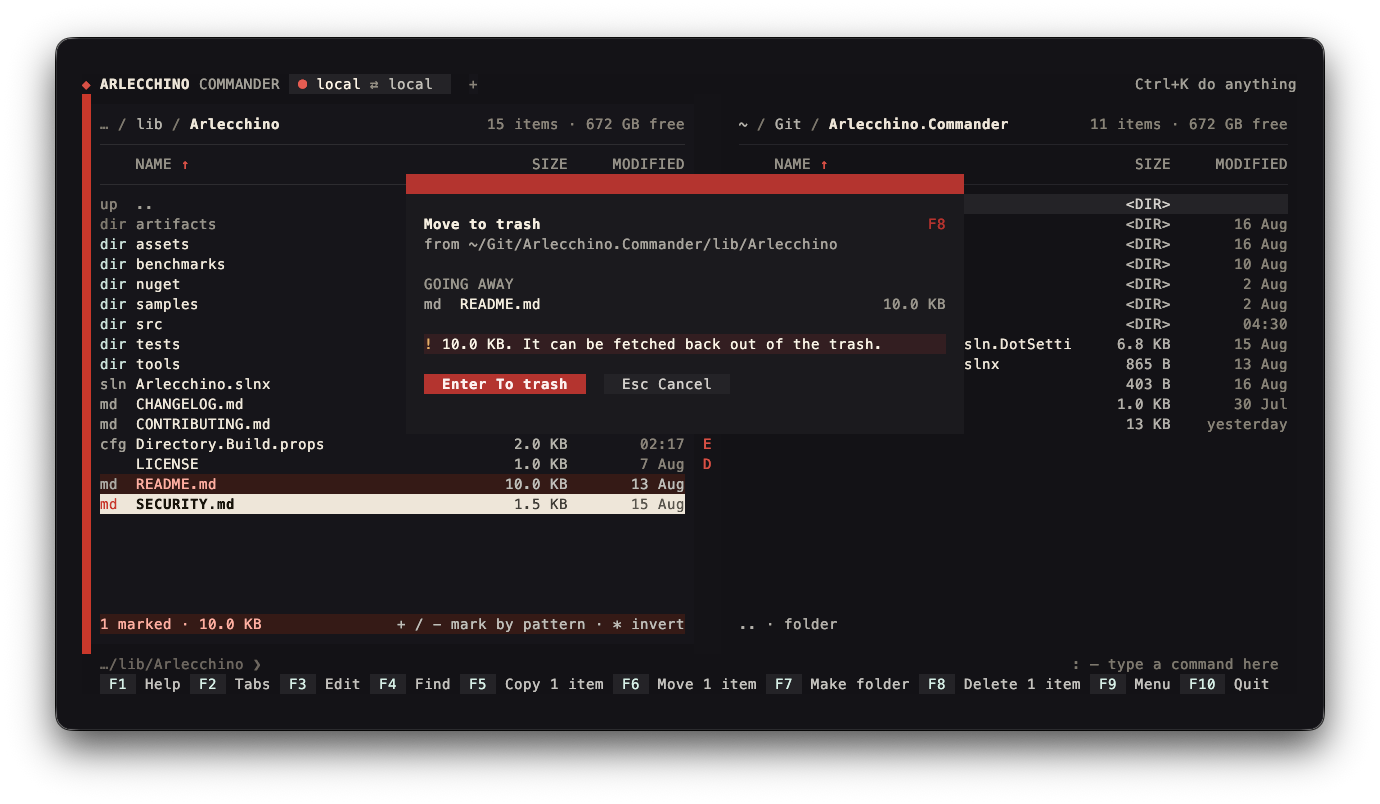
Copying and deleting ask first, with the negative answer selected, so a stray Enter cancels:
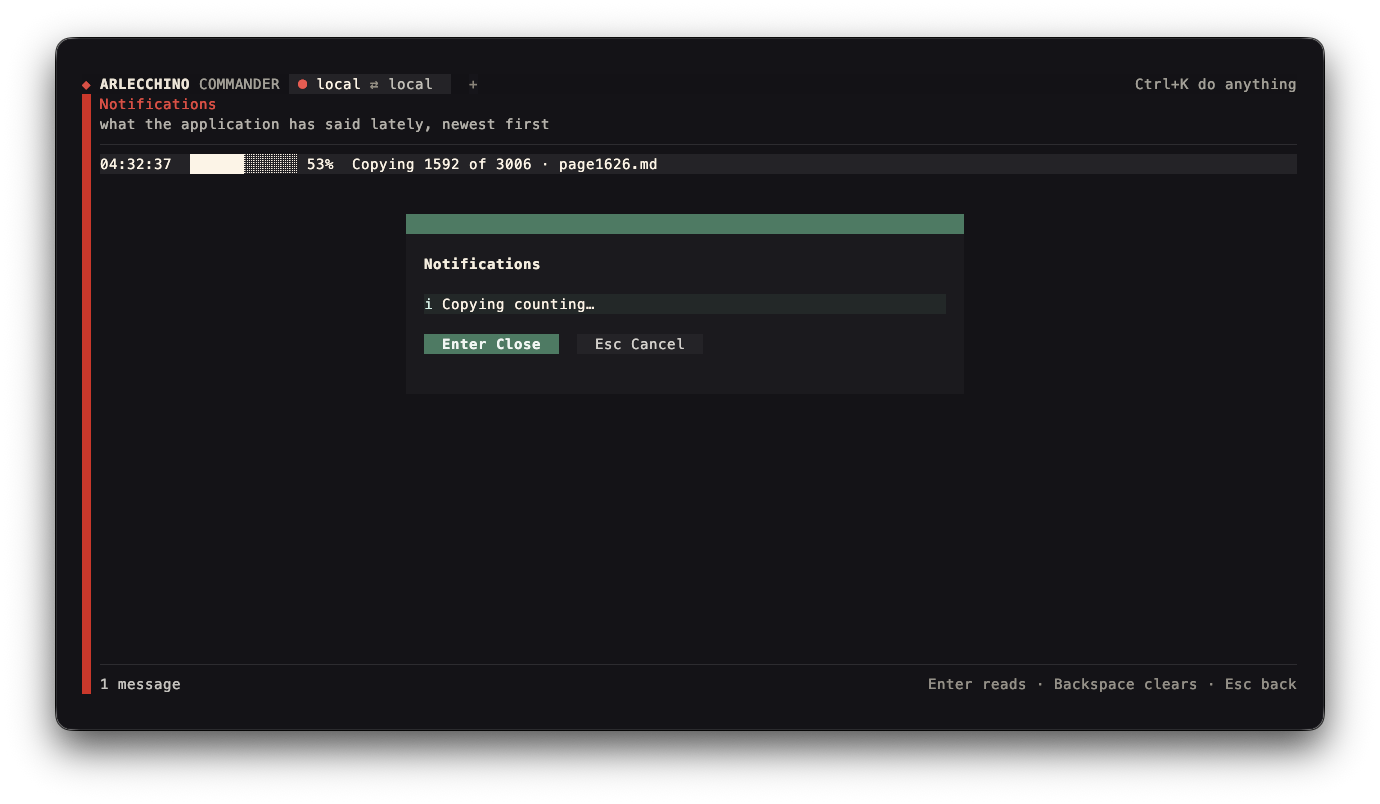
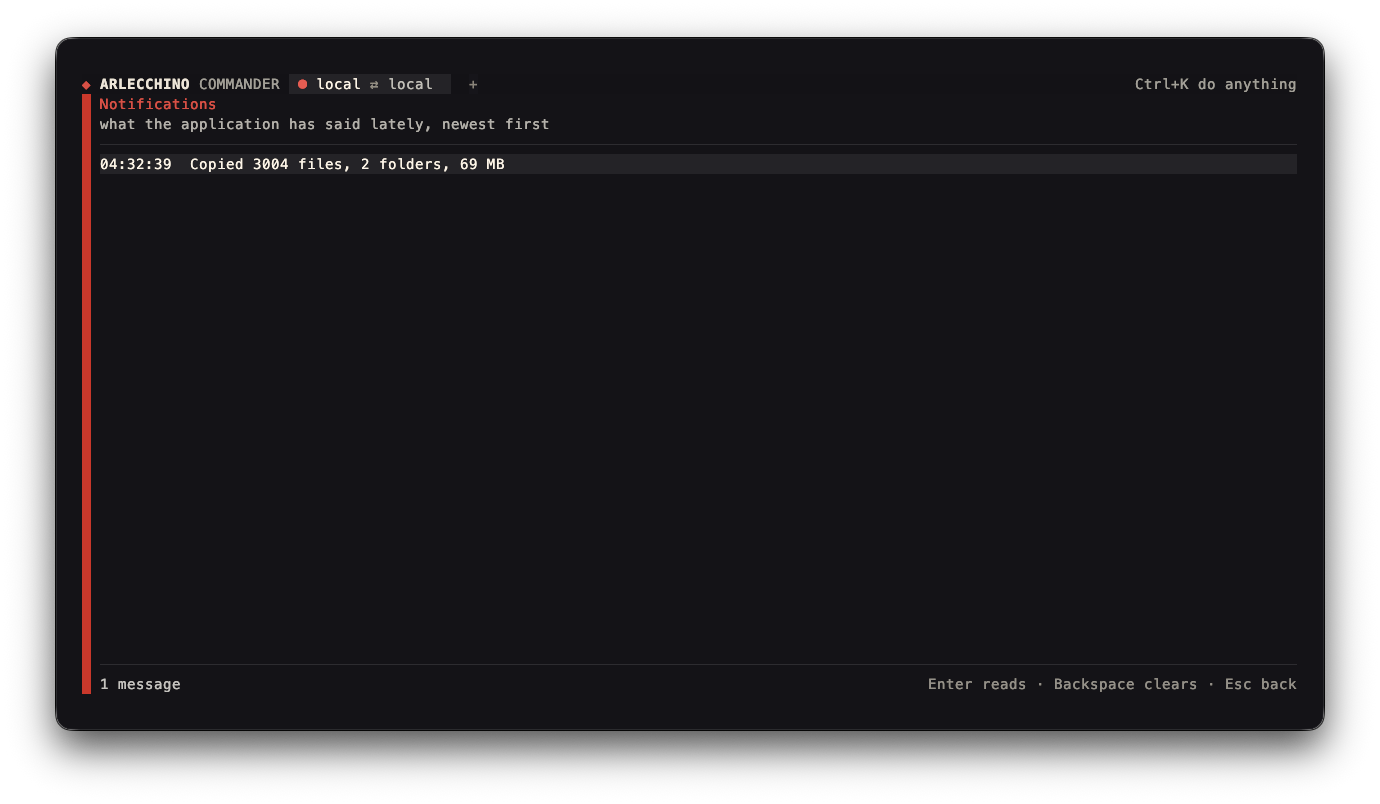
Work of any size runs in the background with a bar and Alt+Esc to stop it, and reports itself as a
notification that opens in full and turns into what came of it:
Each tab holds two panels of its own, so a second pair of folders is a tab away rather than a place to
navigate back to. The band along the top says what each one is connected to and answers to the mouse —
a click shows a tab, its × closes it, the + at the end opens another. Alt+T, Alt+W, Alt+PgDn
and Alt+PgUp do the same from the keyboard, and F2 lists them all. More tabs than the band can hold
shortens the names first and then scrolls, which is worth stealing: shortening alone ends in a row of
stubs that name nothing, and scrolling alone hides tabs that two fewer letters would have fitted.
A panel connects by a Host entry from ~/.ssh/config, browses the server as it browses a disk, and
the same credentials run a command on it:
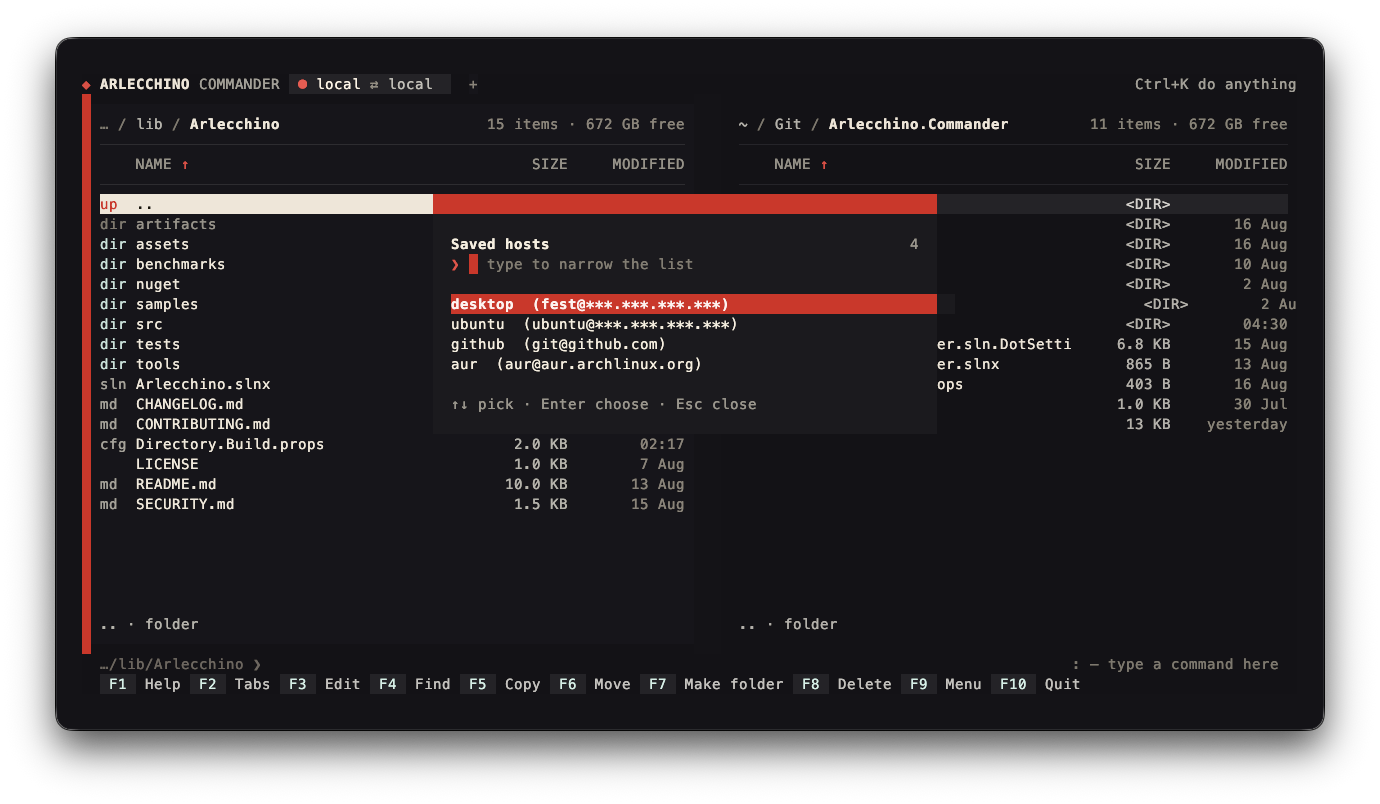
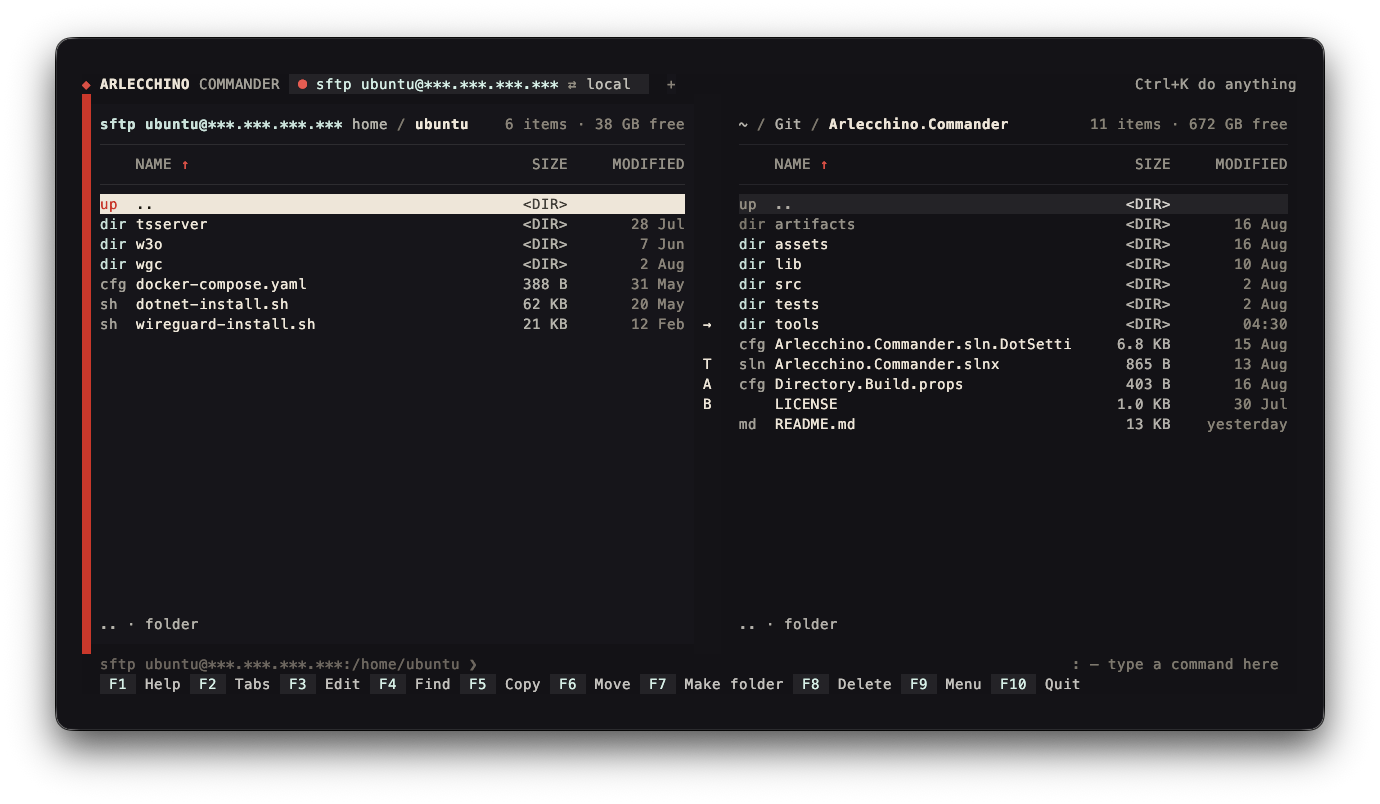
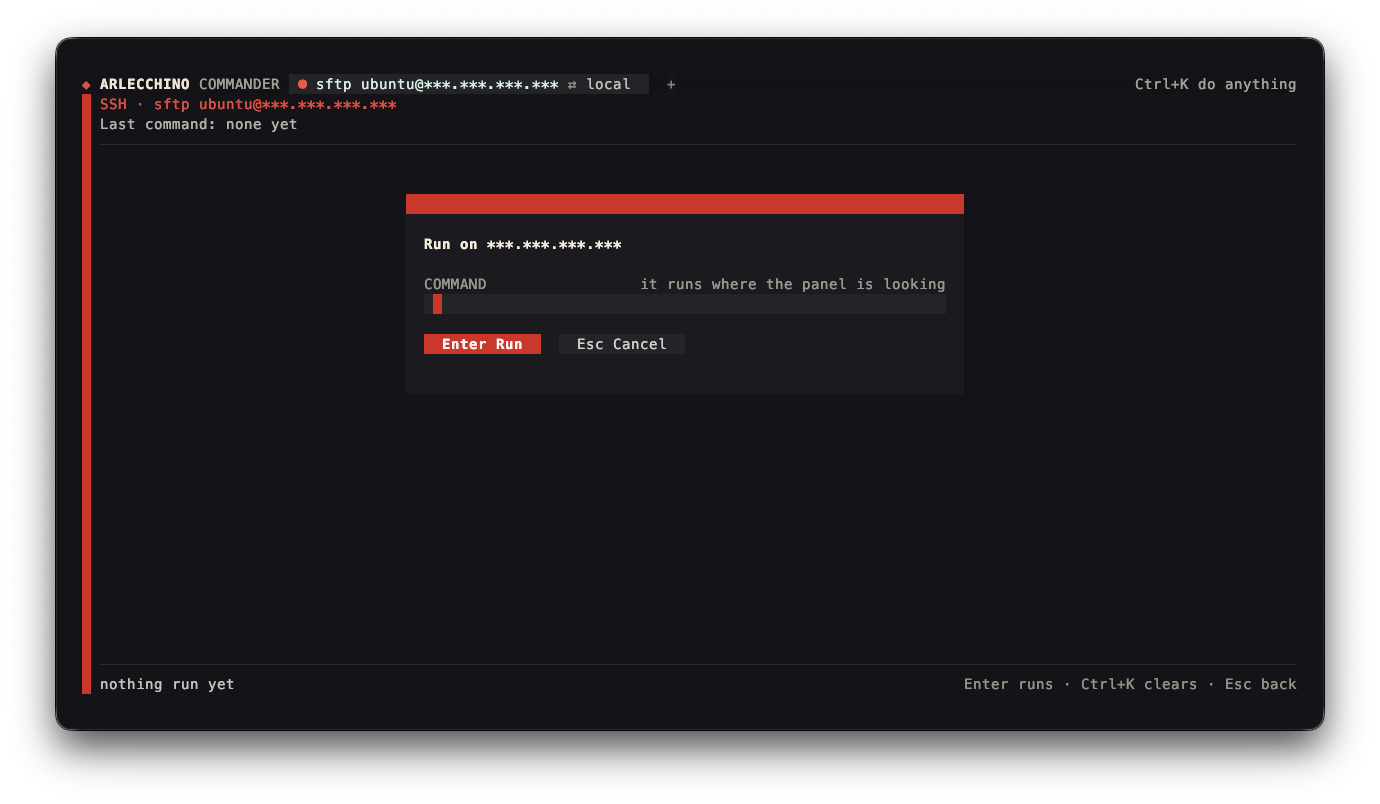
It runs without the output line, so the bottom row belongs to the screen's own
status bar, and every screen renders headlessly — --frame 132x26, with --keys to
play keys first and --connect to open a panel on a server.
Arlecchino.Processes
A small application that does real work rather than showing off widgets. It lists the processes on the
machine in a sortable table, reads them on a background thread through an
AsyncAtom with a spinner while it loads, filters them from
a text modal, and opens a details screen for the selected row.
dotnet run --project samples/Arlecchino.Processes
r re-reads the list, m and n sort, f filters, Enter opens the details. All four are
view commands, so they appear in the palette and in the hints box
without being written down twice.
It renders headlessly too — --frame processes 110x26 or --frame details 90x18.
Arlecchino.Sample
The gallery: a default view, an about view, a settings form, the widget page, a command palette and the file picker.
dotnet run --project samples/Arlecchino.Sample
The frame goes to stdout as ANSI text; the view name is default, about, picker, widgets, or one
of password, number, slider, toggle, multi, date, time, color to render the matching
modal over the default view:
dotnet run --project samples/Arlecchino.Sample -- --frame widgets 100x24
Rendering any of them as a frame
Every one of them takes --frame and writes a composed frame to stdout — the samples beside the
framework name a view, the commander names a size. That is the fastest way to look at a layout, and it
is three lines of wiring in an application of your own — see
Rendering.
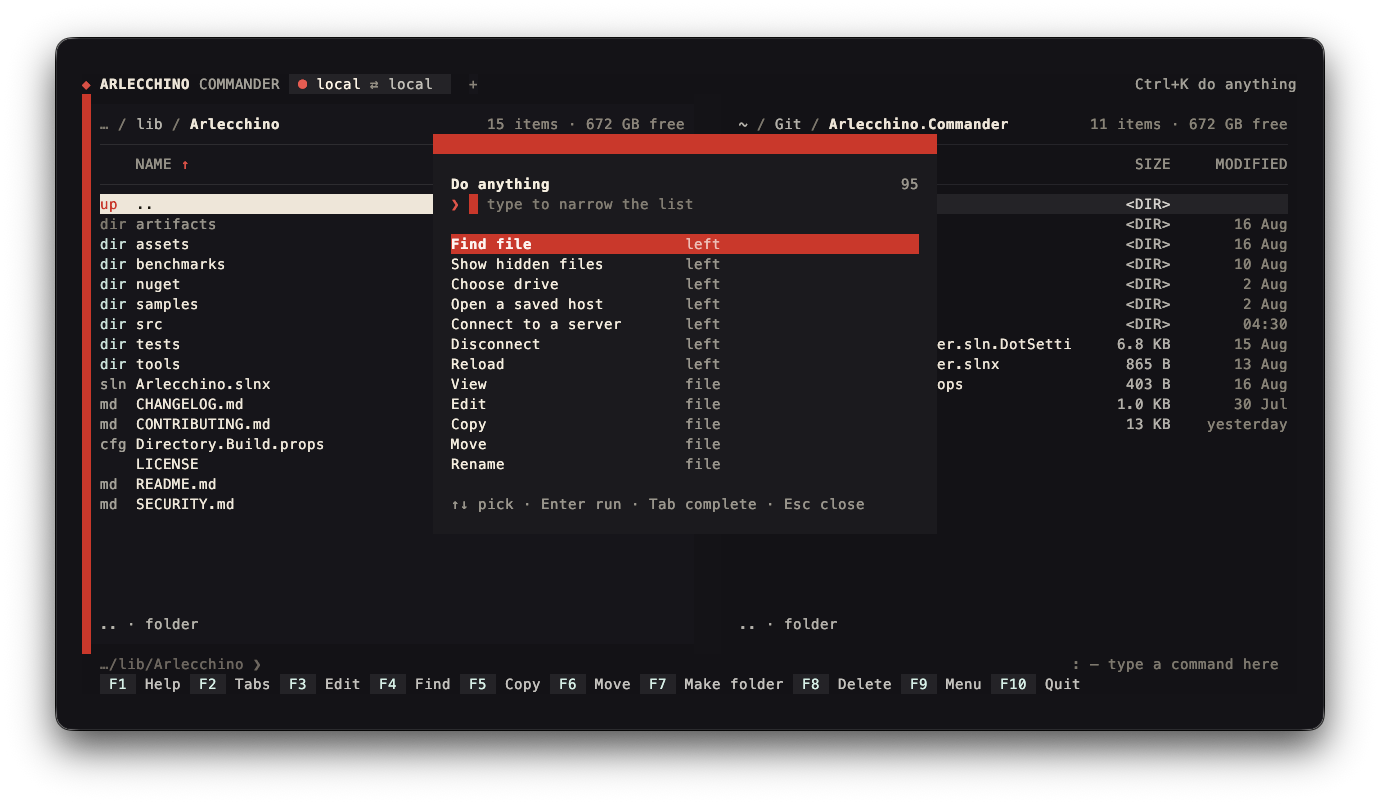
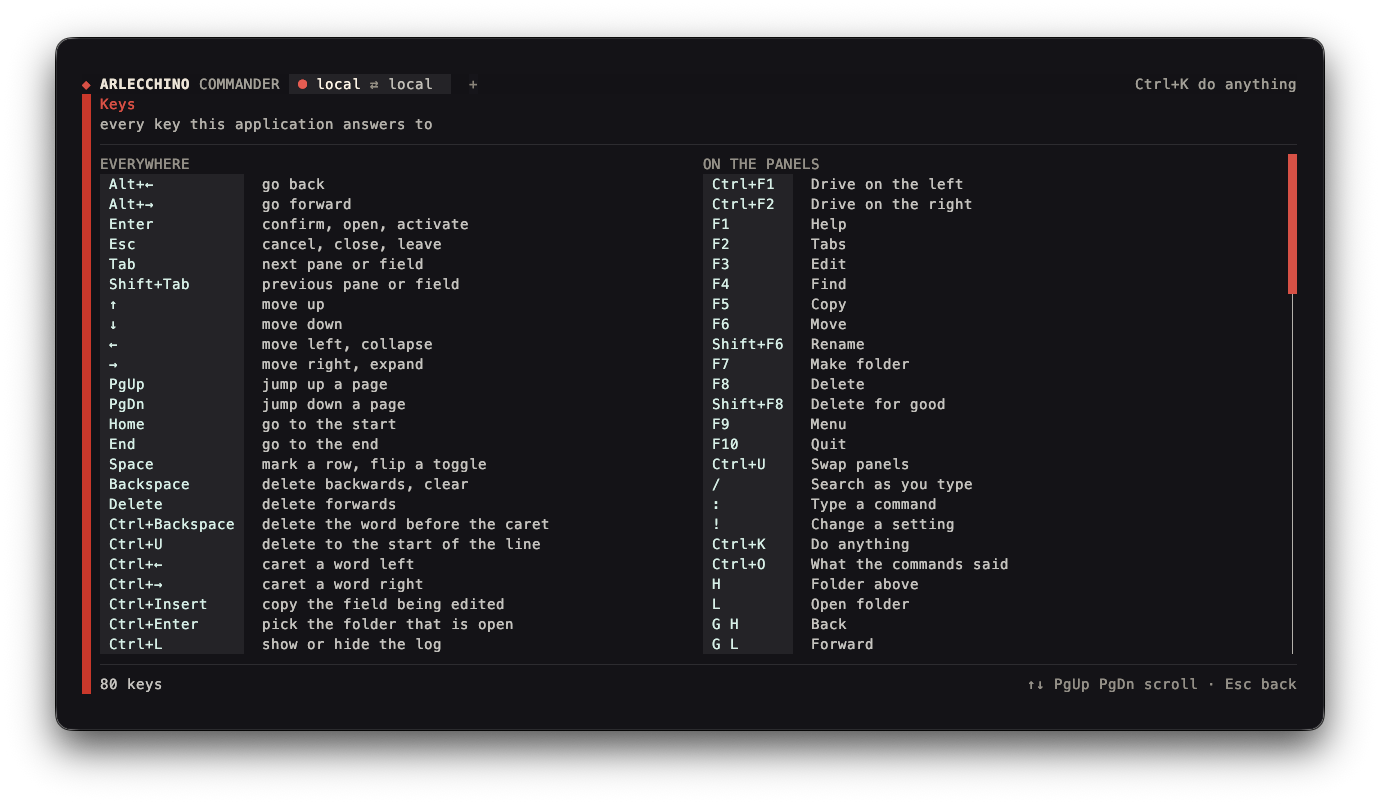
The command palette and the keys screen are the framework's own, and appear in every one of them:
Built something?
If you have an application built on Arlecchino, an issue is the place to say so.